01. The challenge
Three questions the product couldn’t answer yet
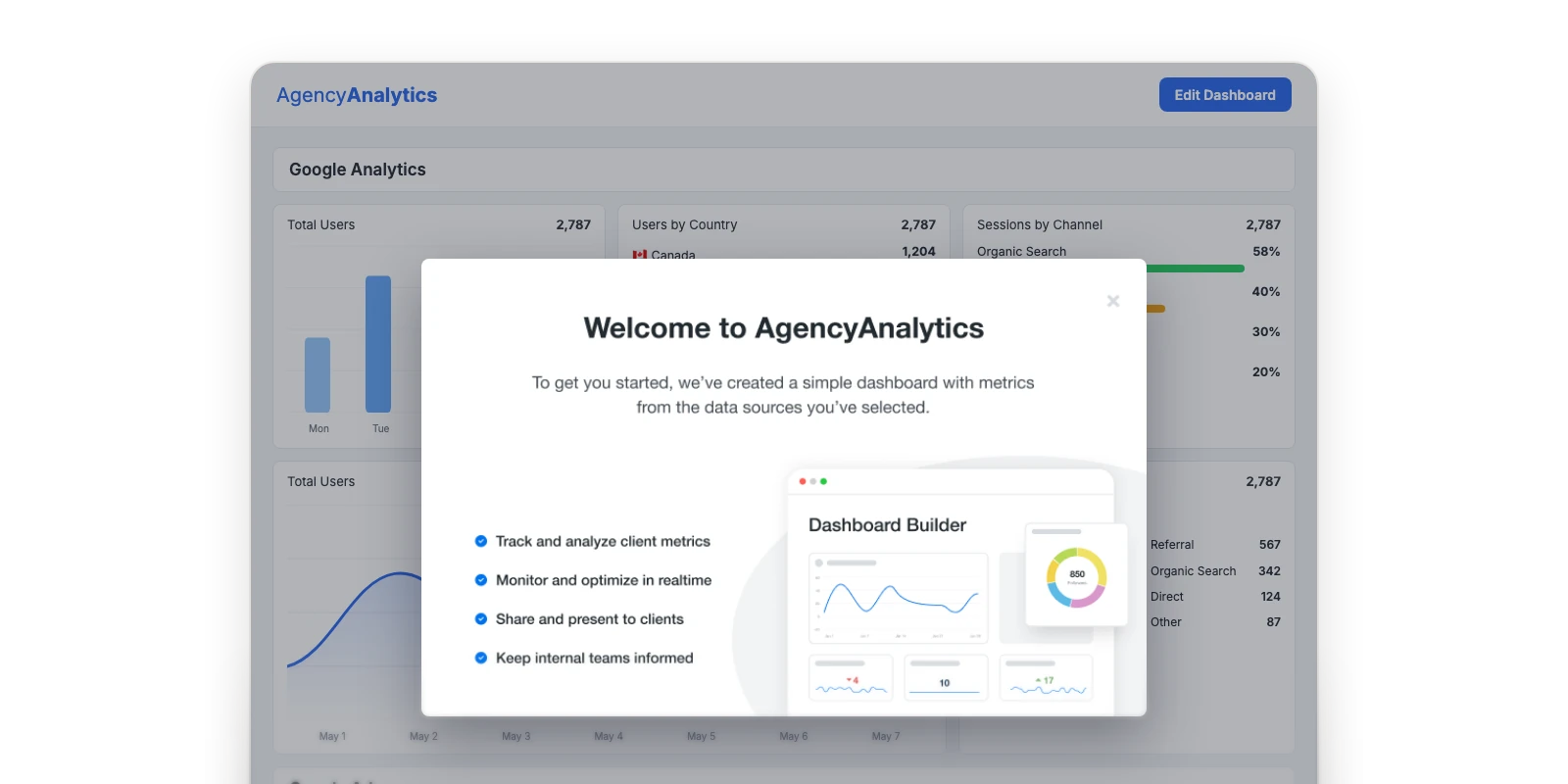
Agencies work with large amounts of performance data across clients, channels, and metrics. The product already helped them understand historical performance, but forward-looking questions were out of reach.
- BenchmarkingHow are we performing compared with other agencies?
- ForecastingWhere is this metric heading?
- Anomaly detectionIs something unusual happening in our data?
These were hard questions because AI-generated insights can easily become overwhelming or hard to trust without the right context. The challenge wasn’t simply adding AI to the product. It was finding where these capabilities could provide real value, and making the results easy to understand and act on.
02. Research
Finding where AI could actually help
I talked directly with customers to understand how agencies evaluate performance today, what they look for, and where they struggle to interpret their data. I then led the analysis of those findings for recurring needs and opportunities.
I also facilitated workshops with Product, Engineering, and other stakeholders to explore where these capabilities could fit naturally into the existing product.
Key questionsWhat we set out to learn
- What information are agencies already using to evaluate performance?
- Where does historical data fall short?
- When would comparing performance against an industry benchmark be useful?
- What kinds of predictions would help customers make better decisions?
- How could we surface unusual changes without creating unnecessary noise?
- How could these capabilities fit naturally into existing dashboards and reports?
The key insight
Agencies use performance data to set expectations and win business.
They used benchmarks to pitch new clients, plan work for existing ones, and set realistic expectations for the results a client could achieve in their industry. Setting expectations meant answering more than “how do we compare?” Agencies also needed to know where performance was heading, and when something unexpected happened.
03. Benchmarking
Benchmarking as part of understanding a metric
Rather than another isolated report, a dedicated experience where users pick a metric and compare it against relevant industry benchmarks.
- 01Select a metric
- 02View current performance
- 03See how it compares with the industry
Every metric in one list
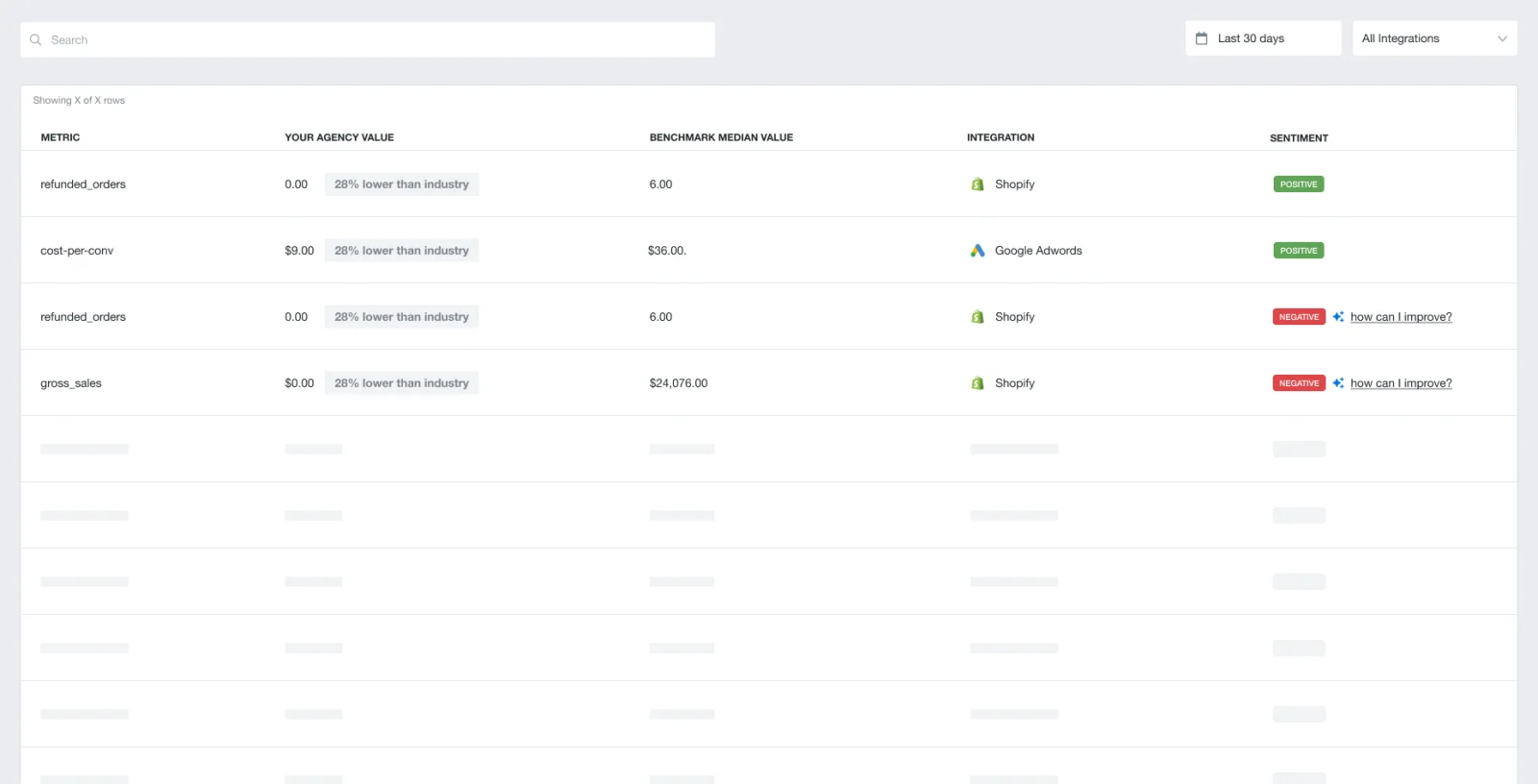
Why I turned back
- It didn’t match the workflow.Agencies typically focused on one metric at a time.
- It hid the system’s limits.Slow analysis, insufficient data, or errors could produce unreliable results. The experience needed room for loading, error, and other system states.
The design decision
A focused, metric-first experience that matched agency workflows, accommodated technical constraints, and made benchmark confidence clearer.Benchmarks where customers already work
Benchmarking needed to live alongside the metrics customers already tracked, not only as a standalone destination. I designed a flow for adding a benchmark directly to an existing dashboard, so customers could choose where it belonged and monitor it with the rest of their data.
That meant introducing benchmarking as a new object type in the dashboard and reporting system, alongside charts and tables. Customers could add, arrange, and share benchmark comparisons the same way they work with any other metric.
04. Integration
Same widget, three new ways to read it
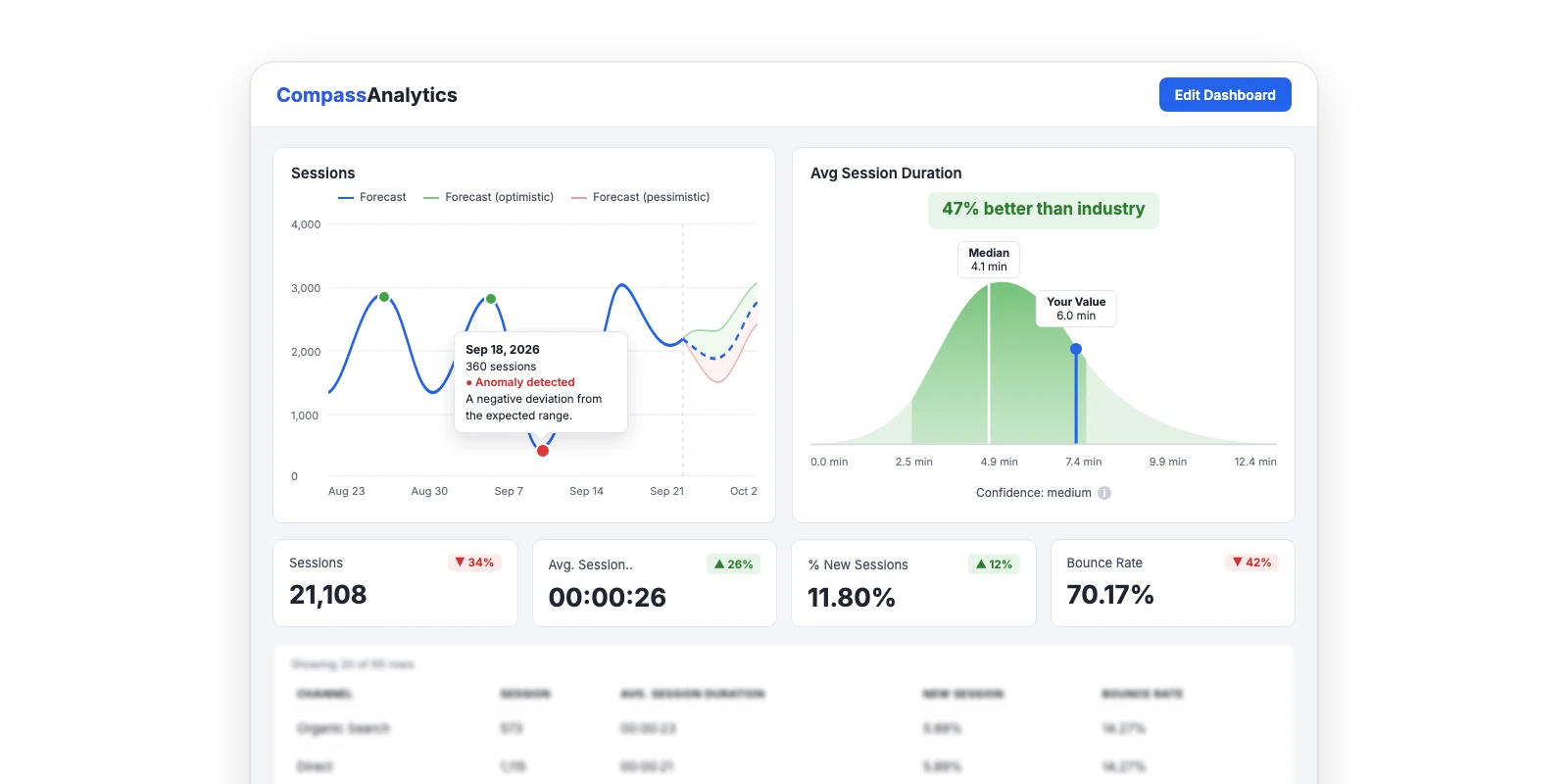
Rather than separate destinations, I integrated forecasting, anomaly detection, and benchmarks directly into existing metric widgets behind a toggle, so customers could understand the same metric in new ways without leaving their workflow.
Forecasting with a range
Toggling on Forecasting projected where a metric was likely headed, so customers could plan ahead instead of only looking back.
The design decision
Optimistic, expected, and pessimistic outcomes rather than a single prediction, acknowledging that the future wasn’t guaranteed.Explaining anomalies without guessing
Toggling on Anomalies surfaced unexpected changes directly on the metric, so customers didn’t have to scan historical data to catch them.
The design decision
Tooltips describe deviations from expected performance without claiming a cause the model couldn’t establish.Context inside the familiar widget
Toggling on Benchmark showed how the metric compared against industry performance, right within the widget customers already knew.
05. Trust
Useful without pretending to be certain
Agencies use these insights to make decisions and report results to their own clients. An unreliable benchmark or a misleading prediction could undermine that trust.


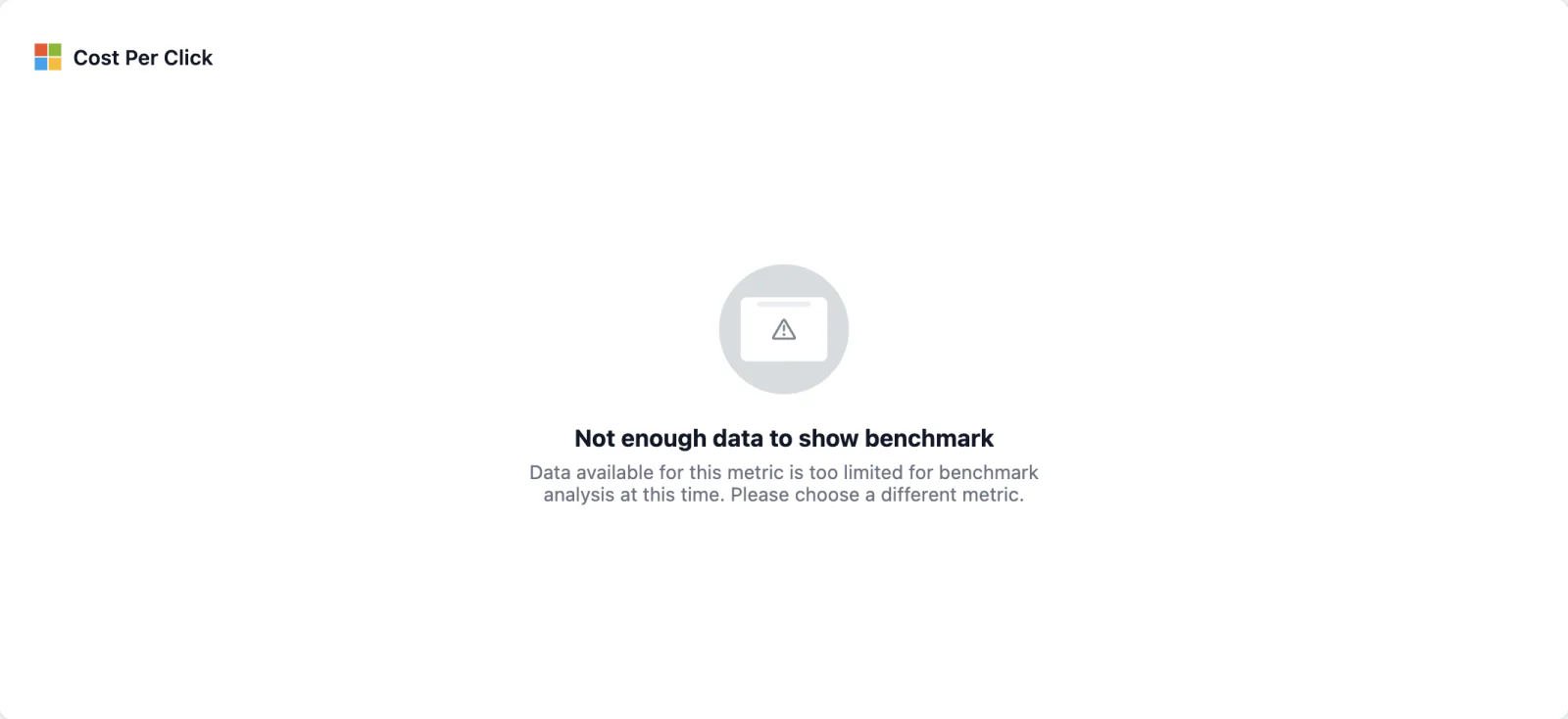
Knowing when not to show a result
Not every metric had enough data for a meaningful benchmark. When a reliable comparison wasn’t possible, the experience explains why, rather than presenting a weak result customers might mistake for a trustworthy insight.
Handling loading and errors
Analysis could take time or fail, so loading states set expectations while results were prepared. If it failed, customers could retry, and were advised to contact support if it kept happening.
ConstraintWhy the error can’t say more
Ideally the error would explain what went wrong. But the analysis only returned pass or fail, with no detail about the cause. Within that constraint, I focused the state on what customers could do next: retry the analysis or contact support.
06. Interpretation
Design for the first question people ask: am I doing well?
I focused on making each benchmark’s takeaway clear at a glance, without customers needing to learn how the chart worked first. Plain-language headlines such as “49% better than industry” make it clear whether performance is above or below the benchmark, and industry and country filters keep the comparison relevant to the business and its location.


The problem
In an early version, the chart followed each metric’s scale. For lower-is-better metrics like bounce rate, a strong result appeared on the left, so reading it meant interpreting the metric first.The trade-off
Axis values read in reverse for those metrics. I accepted that small cost for a chart customers could read the same way every time.The design decision
Better performance always appears on the right. For lower-is-better metrics the axis reverses, so outperforming the median always looks the same.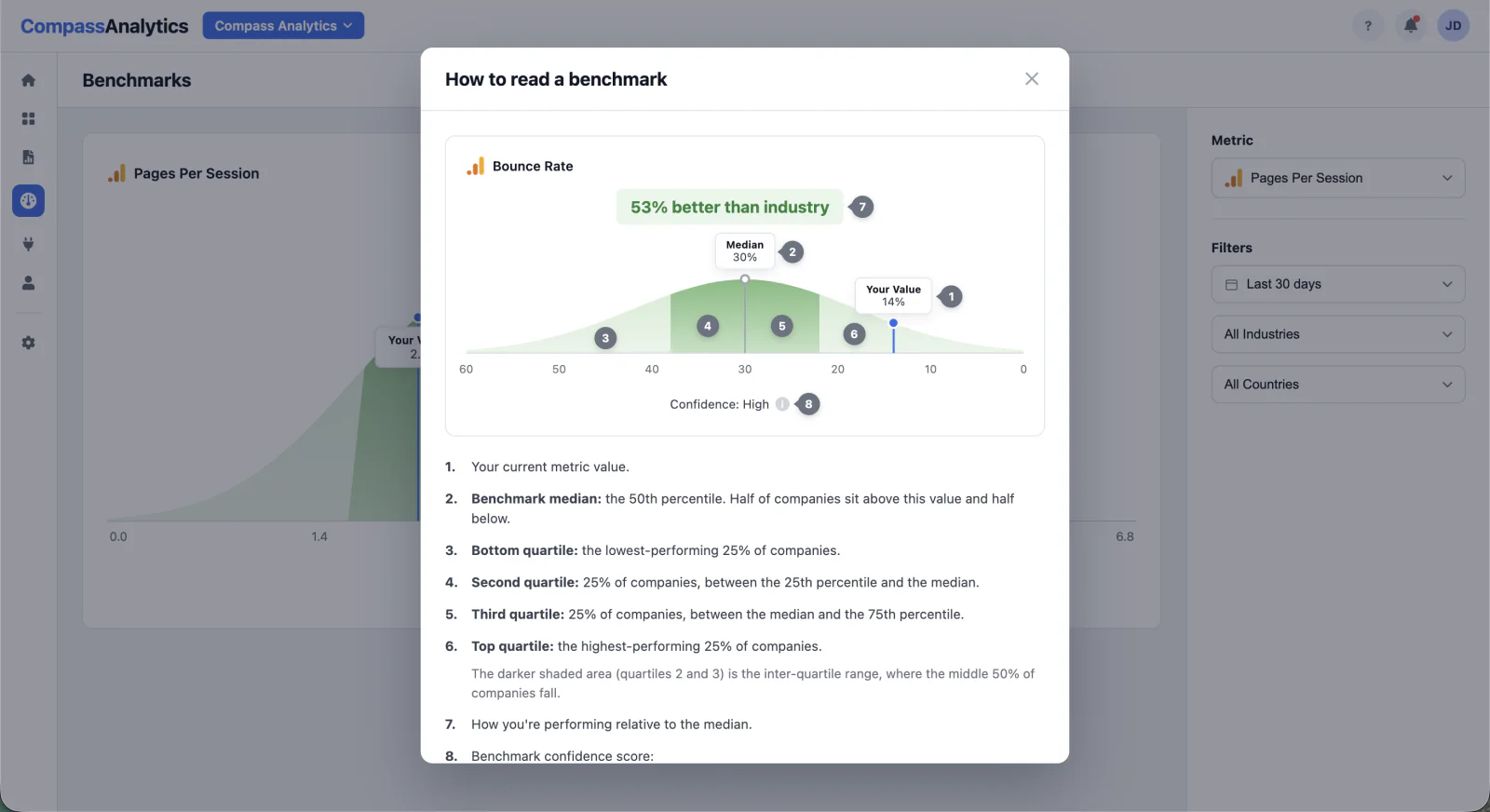
Helping customers read the visualization
A “How to read a benchmark” modal explains the chart, adding context without adding complexity to the main experience.
The design decision
I explored an interactive guide with details on hover, and kept it static, so customers could understand the whole chart at once. A guide that needs its own explanation defeats the purpose.07. Validation & adoption
Proving the value, then helping people find it
Before full launch, we piloted the features with a small group of agencies. The goal was to see whether the insights were useful in real workflows, and whether customers understood and trusted what they were seeing.
less time spent analyzing data
Reported by pilot usersBecause these were new capabilities, existing customers also needed to discover their value. I designed paywalls and upgrade experiences that explain what the feature does, why it might be useful, and what customers get by upgrading, rather than simply blocking access.
That created a clearer path from discovering an AI capability to understanding its value and upgrading, helping drive a 12% increase in plan upgrades.
08. Collaboration
We weren’t implementing a pattern. We were defining one.
My role extended beyond the final interface. I helped shape the opportunity through research, facilitated workshops to explore possibilities, worked through technical and product constraints with Engineering, and translated complex AI capabilities into understandable experiences. That mattered because the technology was new to the product: we were figuring out how these capabilities should work within it.
09. Beyond the MVP Concept
From “am I doing well?” to “what should I do about it?”
A benchmark tells agencies where they stand, but a below-median result raises an immediate question: how do we improve it? In the next step, agencies would be able to open AI chat directly from a below-median benchmark, with the metric, the benchmark, and their own data already in context, so it could suggest relevant things to try.


Overview brings performance trends, key metrics, goals, and AI-generated insights together in one place.
Benchmarking: understand how a metric compares with industry performance.
Forecasting: explore projected trends and anticipate where performance is heading.
Anomalies: investigate unusual changes and understand where performance needs attention.
While the MVP introduced each capability into existing workflows, this concept explored how they could eventually work together as a more proactive analytics experience: historical data, industry context, and predictions in one place.
10. Results
What changed
plan upgrades
Driven by the new AI capabilities- ProblemNew, paid AI capabilities that existing customers didn’t know about.
- DecisionPaywalls and upgrade experiences that explain what each feature does and why it’s useful, instead of simply blocking access.
- OutcomeA clearer path from discovering a capability to upgrading for it.
less time analyzing data
Reported by pilot users- ProblemAgencies manually scanned historical data to understand performance and catch problems.
- DecisionBenchmarks, forecasts, and anomalies built into the widgets they already used, with plain-language takeaways.
- OutcomeAnswers surfaced on the metric itself, in the workflow they already knew.
What shipped
- BenchmarkingCompare performance against industry benchmarks.
- ForecastingUnderstand where metrics are trending.
- Anomaly detectionIdentify unexpected changes in performance.
- Upgrade experiencesHelp customers discover feature value and upgrade to paid access.
Beyond the numbers, the project established design patterns for making AI-powered insights understandable, trustworthy, and easy to interpret within the workflows customers already knew.
11. Reflection
What I learned
Design for the first question people ask.
Customers looking at a benchmark wanted to know one thing: am I doing well? Plain-language headlines and a consistent visual direction let them answer it without interpreting the chart first.
Trust comes from showing the limits of the data.
Confidence labels, forecast ranges, and withholding benchmarks when data was insufficient helped customers understand not just what the AI showed, but how much to rely on it.
New capabilities are easier to adopt when they fit existing workflows.
Integrating forecasting and anomaly detection into familiar metric widgets let customers explore new insights without learning a new way to work.
Try it